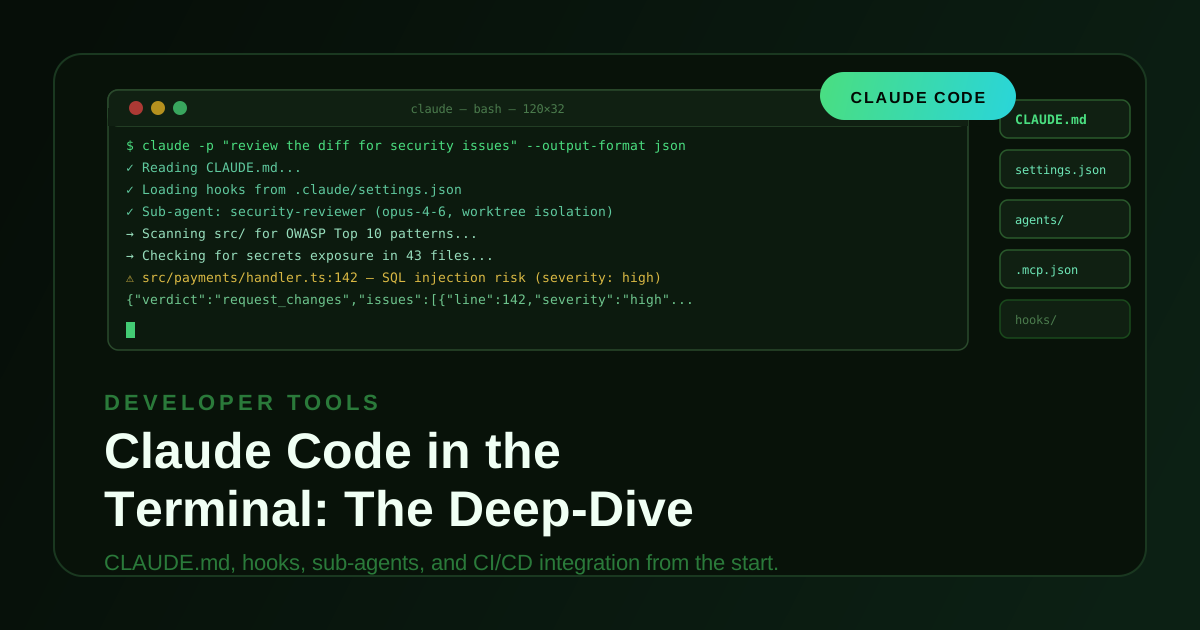
Most teams use Claude Code like a smarter autocomplete. They open it, type a request, and close it. The teams getting real compounding leverage have done something different: they treat Claude Code as an engineering platform with a configuration layer, a memory system, a permission model, a hook pipeline, a skills library, and a sub-agent runtime — and they commit all of it to git.
This is the setup that makes that possible.
CLAUDE.md — the project brain
CLAUDE.md is the most important file in your Claude Code setup. It is read automatically at session start, before any user message. It is your project’s coding constitution, onboarding doc, and persistent context combined.
Resolution order (lowest to highest priority):
- Managed org policy (
/etc/claude-code/CLAUDE.mdon Linux, equivalent on macOS/Windows) - User global (
~/.claude/CLAUDE.md) - Ancestor directories (walked upward from cwd)
- Project root (
./CLAUDE.mdor./.claude/CLAUDE.md) - Subdirectory files (loaded on-demand when Claude enters that directory)
- Personal overrides (
./CLAUDE.local.md—.gitignorethis)
Use @path/to/file.md imports to break CLAUDE.md into modules. Place path-specific rules in .claude/rules/ with YAML frontmatter. Prefix any message with # to write to CLAUDE.md instantly. Run /init on an existing project to generate a starter file from your repo automatically. Keep each file under 200 lines for best adherence.
# Project: Payments API

## Tech Stack
- Runtime: Node.js 20 + TypeScript 5.4 (strict mode)
- Framework: Fastify 4 (NOT Express)
- ORM: Prisma 5 with PostgreSQL 16
- Testing: Vitest + Supertest

## Architecture Rules
- All business logic lives in `src/services/` — controllers are thin
- All monetary amounts stored in cents (integer), never floats
- Use `Result` pattern (neverthrow) — never throw from service layer
- Every public service method must have a corresponding unit test

## Key Commands
- `npm run dev`         — start dev server (port 3000)
- `npm run test`        — run full test suite
- `npm run db:migrate`  — apply pending Prisma migrations

## PR Conventions
- Branch: `feat/`, `fix/`, `chore/`, `refactor/`
- Commits: Conventional Commits format
- Always run `npm run test && npm run lint` before opening a PR
Memory architecture
Three distinct layers operate at different scopes:
Layer 1 — CLAUDE.md (explicit declarative memory). Human-written, version-controlled, always loaded. Ground truth for project knowledge.
Layer 2 — Auto-memory (~/.claude/projects/<hash>/memory/). Claude writes structured files when it learns something worth persisting across sessions. MEMORY.md is the index, truncated at 200 lines. Disable with CLAUDE_CODE_DISABLE_AUTO_MEMORY=1 for full manual control.
Layer 3 — In-session context window. Lost on /clear or exit. Use /compact to summarize and compress before it fills. Use /rewind to return to any earlier checkpoint in the session.
The /memory command opens both CLAUDE.md and the auto-memory folder, shows which files are currently loaded, and lets you toggle auto-memory on or off.
Context management and compaction
The context window fills up. How you handle that determines whether long sessions degrade or stay coherent.
/compact summarizes the current conversation into a compressed handoff and continues from there. It preserves the goal and key decisions while discarding low-signal exchange history. Use it proactively — before the window is full, not after Claude starts losing track.
/clear wipes the context entirely. Use it when starting a genuinely new task rather than letting unrelated history pollute the next one.
/context shows current token usage — input tokens consumed, percentage of window used, and estimated remaining capacity. Check it before starting a long agentic run so you know whether to compact first.
/rewind lets you time-travel to any previous checkpoint in the session. Every tool call creates an implicit checkpoint. If Claude takes a wrong turn, rewind to before it happened rather than trying to undo the effects manually.
For long-running projects, seed auto-memory with a handoff file: a structured memory/MEMORY.md containing a progress log, key decisions made, and a “Next Session: Start Here” section that gives the next session immediate orientation.
Permission system
Permissions control which tools Claude can invoke and when it needs to ask. Defined in .claude/settings.json:
{
  "permissions": {
    "allow": [
      "Read",
      "Glob",
      "Grep",
      "Bash(npm run *)",
      "Bash(git diff*)",
      "Bash(git log*)"
    ],
    "deny": [
      "Bash(rm *)",
      "Bash(git push*)",
      "WebFetch"
    ]
  }
}
allow and deny both support glob patterns. deny takes precedence over allow. Tool names match Claude’s internal tool names: Read, Write, Edit, Bash, Glob, Grep, WebFetch, WebSearch, Agent, etc.
The five permission modes (set with --permission-mode or /permissions):
default— prompts for each tool call that isn’t pre-approved. Safe for interactive sessions.acceptEdits— auto-approves file edits, prompts for Bash and network calls.plan— read-only mode. Claude can inspect files and reason but cannot write, run commands, or take action. Use this to review a plan before authorizing execution.auto— intelligent classifier approves low-risk actions automatically, prompts on high-risk ones. The right default for most interactive sessions once you trust the project setup.bypassPermissions— skips all prompts. Only safe inside isolated containers. Never use on a machine with credentials, live databases, or a production environment.
For CI pipelines, combine --permission-mode plan with an explicit --allowedTools whitelist to give Claude exactly the access the job needs and nothing more.
Plan mode
Plan mode (--permission-mode plan or /plan) is read-only. Claude can read files, search the codebase, reason about the problem, and produce a detailed implementation plan — but it cannot write files, run commands, or take any action.
Use it at the start of any non-trivial task:
claude --permission-mode plan -p "design the migration from REST to GraphQL for the orders service"
Claude will read the relevant code, reason through the approach, identify risks, and produce a step-by-step plan. Review it, adjust it, then re-run without plan to execute. This pattern eliminates the most common source of wasted agentic work: Claude executing a plausible-but-wrong approach for ten steps before you realize the direction was off.
/plan inside an interactive session switches to plan mode for the current turn without changing the session’s permission mode permanently.
Checkpoints
Every tool call creates an implicit checkpoint — a snapshot of the conversation and file state at that point. Checkpoints are how /rewind works.
This matters for agentic runs. If Claude is making a sequence of file changes and takes a wrong turn at step 7, you do not need to manually undo each change. Use /rewind to select the checkpoint before the bad decision, adjust your instruction, and continue from there.
Checkpoints also matter when working with worktrees (--worktree). The worktree isolates Claude’s changes from your working tree entirely — changes live in a separate git branch. You review the diff and merge what you want. Combined with checkpoints, this gives you a full undo tree for agentic work.
For long agentic runs in CI, --max-turns creates a hard ceiling on how many tool calls Claude can make before stopping. Use it as a cost and safety valve: if a run hits the limit, it exits cleanly and you can inspect the partial output rather than watching an uncontrolled loop run up a bill.
Slash commands reference
The commands used most often in practice:
Context and memory
| Command | What it does |
|---|---|
/clear | Wipe conversation history and start fresh |
/compact | Summarize and compress context, continue session |
/context | Show token usage and remaining window capacity |
/rewind | Return to any earlier session checkpoint |
/memory | Open CLAUDE.md and auto-memory, toggle auto-memory |
Configuration
| Command | What it does |
|---|---|
/init | Generate starter CLAUDE.md from current repo |
/model | Switch model for the current session |
/permissions | View and edit tool permissions interactively |
/config | Open full settings editor |
/plan | Switch current turn to plan (read-only) mode |
Development workflow
| Command | What it does |
|---|---|
/review | Structured code review of recent changes |
/todos | Show current task list |
/diff | Interactive diff viewer for pending changes |
/simplify | 3-agent review pipeline for recently changed code |
/export | Export conversation to a file |
Tasks and agents
| Command | What it does |
|---|---|
/tasks | List and manage background tasks |
/batch | Run parallel tasks in isolated worktrees |
/schedule | Create a recurring scheduled task |
/effort | Set reasoning effort level (Opus 4.6 only) |
Diagnostics
| Command | What it does |
|---|---|
/doctor | Diagnose installation and configuration issues |
/insights | Session analytics and usage summary |
/security-review | Quick security scan of recent changes |
Custom commands go in .claude/commands/ as Markdown files. They appear in the / menu automatically.
Hooks — lifecycle automation
Hooks attach shell commands, Haiku-based decisions, or sub-agents to events in Claude’s execution lifecycle. They are the highest-leverage configuration most teams skip.
Available events:
PreToolUse/PostToolUse/PostToolUseFailureSessionStart/InstructionsLoaded/UserPromptSubmitSubagentStart/SubagentStopTaskCreated/TaskCompletedPreCompact/PostCompact/PostSession
Defined in .claude/settings.json:
{
  "hooks": {
    "PreToolUse": [
      {
        "matcher": { "tool": "Bash" },
        "command": "echo '[AUDIT] ${CLAUDE_TOOL_INPUT}' >> ~/.claude/audit.log"
      },
      {
        "matcher": { "tool": "Bash" },
        "type": "prompt",
        "prompt": "Does this bash command look safe to run? Input: ${CLAUDE_TOOL_INPUT}. Reply ALLOW or BLOCK.",
        "on_block": "abort"
      }
    ],
    "PostToolUse": [
      {
        "matcher": { "tool": "Write" },
        "command": "cd \"$CLAUDE_PROJECT_DIR\" && npm run lint --silent || true"
      }
    ],
    "PostSession": [
      {
        "command": "cd \"$CLAUDE_PROJECT_DIR\" && npm test -- --reporter=dot 2>&1 | tail -5",
        "async": true
      }
    ]
  }
}
Hook types:
command— run a shell commandprompt— ask Haiku to make a decision (e.g. approve or block a tool call)agent— spawn a full sub-agentasync: true— non-blocking; hook runs in background without holding up Claude
PreToolUse hooks fire even in --dangerously-skip-permissions mode. They are your last-resort guardrail regardless of permission settings.
Skills — reusable instruction sets
Skills are reusable, parameterizable instruction sets that can be invoked like slash commands. They live in .claude/skills/ (project-level) or ~/.claude/skills/ (global), each in their own folder with a SKILL.md.
.claude/skills/
├── pr-review/
│   └── SKILL.md
├── db-migration/
│   └── SKILL.md
└── api-contract/
    └── SKILL.md
A SKILL.md uses frontmatter to define the trigger, parameters, and description:
---
name: pr-review
description: Full PR review — correctness, tests, security, and style
trigger: /pr-review
params:
  - name: focus
    description: Optional area to focus on (security, performance, tests)
    required: false
---

Review the current git diff thoroughly.

{{#if focus}}Focus especially on: {{focus}}.{{/if}}

Check for:
- Logic errors and edge cases
- Missing or inadequate tests
- Security issues (injection, secrets exposure, insecure defaults)
- Consistency with patterns in CLAUDE.md
- Anything that would fail in production but pass in a test environment

Output a structured review with verdict (approve / request-changes), a summary, and a
bulleted list of specific issues with file paths and line numbers.
Invoke with /pr-review or /pr-review focus=security. Skills compose with hooks — a PostToolUse hook can automatically trigger a skill after every Write call if you want continuous review on file changes.
Sub-agents and parallel execution
Sub-agents are Claude instances with their own context windows, models, tools, personas, and isolation levels. Define them in .claude/agents/:
---
name: security-reviewer
description: Security audits, threat modeling, and OWASP analysis
model: claude-opus-4-6
color: red
isolation: worktree
memory: project
effort: high
background: false
---

You are an expert security engineer. Review code for OWASP Top 10, secrets exposure,
injection vulnerabilities, and insecure data handling. Be specific about file paths,
line numbers, and severity (critical / high / medium / low).
Claude auto-invokes sub-agents based on task matching against their description field. You can also invoke them explicitly: Use the security-reviewer agent to audit src/payments/.
Two built-in sub-agents are always available:
Explore(Haiku, read-only) — fast codebase searches without touching your context windowPlan(read-only) — planning and architecture reasoning without execution
Background agents — set background: true in the frontmatter. The agent runs in a separate session while you continue working. Manage background tasks with /tasks. Kill them with Ctrl+F.
Agent Teams coordinate multiple sub-agents across parallel sessions for tasks that exceed a single context window. A lead agent decomposes the work, delegates to teammates, and synthesizes results. Useful for large refactors, cross-service audits, or any task where the codebase is too large to reason about in one pass.
Plugins and MCP servers
MCP (Model Context Protocol) servers extend Claude Code with tools beyond the built-in set — databases, external APIs, internal services, custom retrieval systems. Configure them in .mcp.json at the project root:
{
  "mcpServers": {
    "postgres": {
      "command": "npx",
      "args": ["-y", "@modelcontextprotocol/server-postgres"],
      "env": {
        "DATABASE_URL": "${DATABASE_URL}"
      }
    },
    "github": {
      "command": "npx",
      "args": ["-y", "@modelcontextprotocol/server-github"],
      "env": {
        "GITHUB_TOKEN": "${GITHUB_TOKEN}"
      }
    },
    "internal-docs": {
      "command": "node",
      "args": ["./scripts/mcp-docs-server.js"]
    }
  }
}
Once configured, MCP tools appear alongside built-in tools in Claude’s toolset. Claude discovers what each server offers and uses them when relevant — no additional prompting required.
Commit .mcp.json. Env vars reference environment variables rather than hardcoded values, so secrets stay out of the file. For project-specific internal tools (a docs server, a deployment trigger, a staging environment API), a small MCP server is almost always the right abstraction.
Key CLI flags
# Non-interactive: run and exit (essential for CI)
claude -p "run the test suite and summarise failures" --output-format json

# Resume the most recent conversation
claude -c

# Start in plan mode — read-only, no writes until you approve
claude --permission-mode plan

# Isolated git worktree (changes don't affect your working tree)
claude --worktree

# Override model for a session
claude --model claude-opus-4-6

# Set reasoning effort (Opus 4.6 only)
claude --effort high

# Hard cap on spend for an agentic run
claude --max-budget-usd 2.00

# Limit agentic turns (safety valve for headless runs)
claude --max-turns 30

# Force structured JSON output against a schema
claude -p "..." --json-schema '{"type":"object","properties":{"verdict":{"type":"string"}}}' \
  --output-format json

# Enable real browser control via Playwright
claude --chrome

# Add context to the built-in prompt without replacing it
claude --append-system-prompt "You are working on the payments service. Be conservative with schema changes."
--append-system-prompt is preferred over --system-prompt. The latter replaces the entire built-in prompt, which strips important behavioral scaffolding that Claude Code relies on internally.
CI/CD and headless pipelines
- name: Claude review
  env:
    ANTHROPIC_API_KEY: ${{ secrets.ANTHROPIC_API_KEY }}
  run: |
    claude -p "Review the diff for correctness, test coverage, and security issues.
               Output JSON: {verdict, summary, issues[]}" \
           --output-format json \
           --permission-mode plan \
           --max-turns 20 \
           --max-budget-usd 1.00 \
    | tee review.json

    jq -r '.summary' review.json
    jq -e '.verdict == "approve"' review.json
Use stream-json output format to process results line-by-line in long-running pipeline steps. Use --max-turns and --max-budget-usd together as a two-layer safety valve on every headless run.
The file structure to commit
your-project/
├── CLAUDE.md                  # shared project brain — commit this
├── CLAUDE.local.md            # personal overrides — .gitignore this
├── .mcp.json                  # MCP server config — commit this
└── .claude/
    ├── settings.json          # shared permissions and hooks — commit this
    ├── settings.local.json    # personal overrides — .gitignore this
    ├── agents/                # sub-agent definitions — commit these
    ├── commands/              # custom slash commands — commit these
    ├── skills/                # reusable instruction sets — commit these
    │   └── pr-review/
    │       └── SKILL.md
    ├── rules/                 # modular CLAUDE.md rules — commit these
    │   ├── api.md
    │   └── frontend/
    └── hooks/                 # optional shell scripts — commit these
Treat .claude/, CLAUDE.md, and .mcp.json like your CI configuration. They define how Claude behaves for everyone on the project. Review changes to them in PRs the same way you would review changes to .github/workflows/.
Run /doctor on any new machine to surface installation issues. Run /memory at the start of any new project to see what Claude has already loaded. Run /init if CLAUDE.md doesn’t exist yet.
Next step
If your team is evaluating how to integrate Claude Code into an engineering workflow — alongside existing CI/CD, code review, and operational tooling — book a discovery call to talk through the specifics.